
Disclosure: This article does not represent investment advice. The content and materials featured on this page are for educational purposes only.
AI stock trading bots offer trials and paper trading as traders test automation tools before committing funds.
Summary
- AI stock trading platforms in 2026 increasingly offer free trials, paper trading, and limited-feature access to help users explore automation before paying.
- BulkQuant positions itself as an AI-assisted trading platform with dashboard-based tools for market monitoring, automated workflows, and risk management.
- The platform targets beginners by providing a guided, no-code approach to stock and crypto trading automation, while emphasizing that automation does not eliminate market risk.
AI stock trading bot platforms are easier to access in 2026, but “free” rarely means unlimited. For most traders, free access usually means a trial, demo account, paper trading environment, limited signals, or a basic entry point before paid features.
This guide reviews five AI stock trading bot platforms that may be useful for traders who want to test stock automation, market scanning, alerts, strategy tools, or paper trading before making larger decisions.
This article is for educational purposes only. AI trading software can support research, monitoring, testing, and execution workflows, but it cannot guarantee profits or remove market risk.
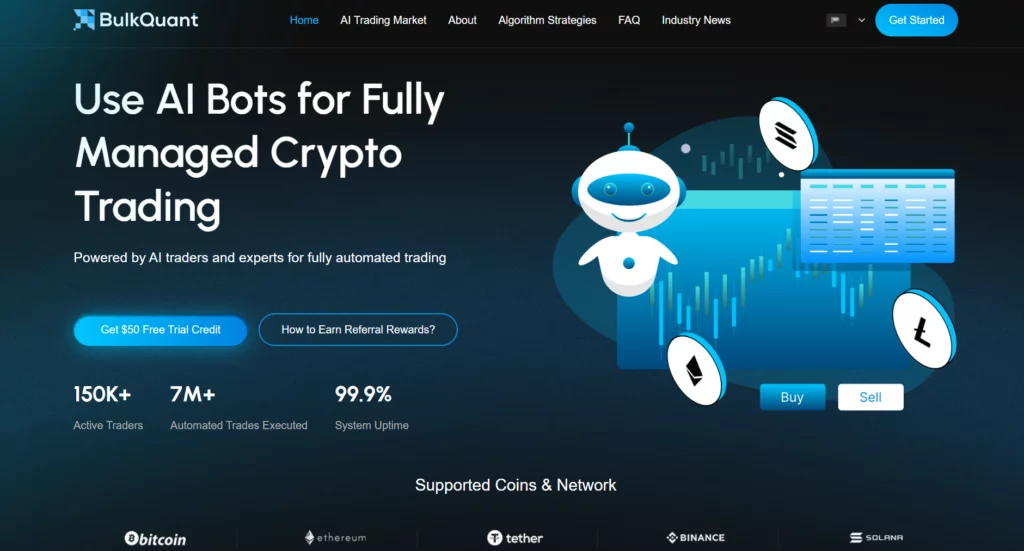
1. BulkQuant – Best for beginners testing AI-assisted trading automation
BulkQuant is an AI-assisted trading automation platform designed for users who want to explore market monitoring, strategy execution support, and automated workflow tools without starting from a code-heavy trading system.
For beginners, BulkQuant’s main appeal is its dashboard-based structure. Instead of requiring users to build their own algorithmic trading infrastructure, the platform presents automation tools, market access, and account features in a more guided environment.
BulkQuant may be especially relevant for users who want to review automation access before live trading. This makes it a practical starting point for traders who want to understand how AI-assisted trading workflows are organized before moving into more advanced decisions.
Headquarters: London, United Kingdom
Founded: 2020
Free Access Type: Free trial/trial access for new users
Platform Type: AI-assisted trading automation platform
BulkQuant plans and access
BulkQuant’s service model is built around AI-assisted market tools, automated strategy workflows, dashboard-based monitoring, and risk-control features. New users can use the platform’s trial entry point to inspect the interface and better understand available automation access.
Users who want to compare account options can check BulkQuant plan access and feature limits before deciding whether the platform fits their current experience level.
BulkQuant benefits
- Beginner-friendly dashboard
- AI-assisted market monitoring
- Stock and crypto market support
- Automated strategy workflow tools
- Risk-control features
- No advanced coding required
- Free trial access for new users
- Useful for traders testing automation for the first time
- Suitable for users who want a guided automation experience
Why BulkQuant may fit beginners
BulkQuant may fit beginners because it focuses on accessibility and workflow clarity. It gives users a way to review automation tools, understand platform structure, and test AI-assisted trading features without immediately building a custom algorithmic system.
It should still be treated as a trading tool, not as a guaranteed-performance platform. Users should review plan terms, account rules, available tools, and risk settings before relying on any automation feature.
2. Trade Ideas – Best for AI stock scanning and active market discovery
Trade Ideas is one of the most established AI-powered stock scanning platforms for active traders. Its tools are built around real-time market scanning, trading signals, AI-assisted idea generation, simulated trading, and stock discovery.
The platform is best suited for traders who want faster market discovery rather than a simple beginner bot. Trade Ideas is especially relevant for active traders, momentum traders, and users who want to identify unusual stock activity more efficiently.
Trade Ideas also offers a free account for exploring stock scanning tools, making it useful for users who want to inspect the platform before committing to paid access.
Headquarters: Encinitas, California, United States
Founded: 2003
Free Access Type: Free account/trial or demo-style access
Platform Type: AI stock scanner and market intelligence platform
Trade Ideas plans and access
Trade Ideas operates mainly through paid plans, but users can access free account options, demos, platform previews, education, and market tools before choosing whether to upgrade.
Its service model is more advanced than a basic free stock trading app. It is designed for traders who want AI-driven scans, market alerts, simulated trading tools, and faster idea discovery.
Trade Ideas benefits
- AI-powered stock scanning
- Holly AI and AI signal tools
- Real-time U.S. stock market analysis
- Momentum and unusual activity detection
- Simulated trading features
- Custom stock filters
- Trading education resources
- Strong fit for active traders
- Useful for idea generation and market discovery
Why Trade Ideas may fit active traders
Trade Ideas may fit active traders because it focuses on stock discovery rather than simple one-click automation. It helps users scan the market, filter opportunities, and review AI-generated ideas.
However, it may be too advanced for complete beginners who have not yet learned basic stock trading concepts, risk control, or market structure.
3. TrendSpider – Best for automated technical analysis and no-code bots
TrendSpider is a market research and trading software platform built around automated chart analysis, alerts, scanners, strategy testing, AI tools, and no-code bots.
It is especially useful for traders who already rely on technical analysis but want to reduce repetitive chart work. TrendSpider can help users identify patterns, build alerts, test strategies, and automate parts of market monitoring without writing code.
For traders looking beyond basic free signals, TrendSpider’s no-code bots and AI Strategy Lab make it relevant to the AI trading software category.
Headquarters: Chicago, Illinois, United States
Founded: 2016
Free Access Type: Free trial/platform access depending on current offer
Platform Type: Automated technical analysis and trading software platform
TrendSpider Plans and access
TrendSpider generally uses a trial and paid-plan model. Users can explore platform tools before subscribing, but advanced features may depend on the selected plan.
Its tools are best suited for traders who want chart automation, technical alerts, scanners, backtesting, and strategy development in one environment.
TrendSpider benefits
- Automated trendline detection
- Support and resistance analysis
- Technical pattern recognition
- Smart alerts
- Strategy Tester
- AI Strategy Lab
- No-code bots
- Stock, ETF, crypto, and forex coverage
- Useful for technical traders
- Reduces manual chart review
Why TrendSpider may fit technical traders
TrendSpider may fit traders who want to automate technical research rather than rely on manual chart review. It is not a pure “set-and-forget” bot, but it can help users create alerts, scan markets, and test trading ideas more consistently.
Beginners should still understand basic charting concepts before relying heavily on automated technical analysis.
4. Capitalise.ai – Best no-code automation tool for rule-based traders
Capitalise.ai is a no-code trading automation platform that allows users to create, test, and automate trading scenarios using everyday English. Instead of writing code, users can describe a trading condition in natural language and turn it into a rules-based workflow.
This makes Capitalise.ai useful for traders who understand what they want to test but do not have programming experience. Depending on broker availability, users may be able to access automation features through supported brokers.
Capitalise.ai is especially relevant for users who want to turn plain-English trading rules into automation without learning Python, APIs, or technical scripting.
Headquarters: Commonly described as Israel-based in public company profiles
Founded: 2015
Free Access Type: Free signup or broker-connected access may be available
Platform Type: No-code trading automation platform
Capitalise.ai plans and access
Capitalise.ai is often accessed through partner brokers rather than as a standalone retail subscription. Availability, supported markets, and free access may depend on the broker and user region.
The platform is built around text-based trading automation, backtesting, simulated trading, notifications, and rule-based execution.
Capitalise.ai benefits
- No-code trading automation
- Everyday-English strategy creation
- Backtesting tools
- Simulation features
- Smart notifications
- Broker-connected automation
- Useful for non-technical traders
- Helps reduce emotional trade execution
- Multi-market support depending on broker
- Good fit for rules-based traders
Why Capitalise.ai may fit no-code users
Capitalise.ai may fit users who know the trading conditions they want to test but do not want to write code. It acts as a bridge between trading ideas and automated rules.
However, users still need to understand their strategy. No-code automation makes rule creation easier, but it does not make the rule itself profitable or low-risk.
5. Alpaca – Best free API and paper trading environment for developers
Alpaca is a developer-first brokerage and trading API platform for users who want to build trading algorithms, fintech apps, or automated investing systems. It supports stocks, ETFs, options, and crypto through API-based infrastructure.
Alpaca is not the easiest starting point for non-technical beginners. It is better suited for developers, quant learners, and traders who want to build or test their own automated trading systems.
Its value comes from API access, developer tools, market data options, and a paper trading environment. For users who want to test algorithmic strategies in paper trading before live deployment, Alpaca is one of the strongest free entry points.
Headquarters: San Mateo, California, United States
Founded: 2015
Free Access Type: Free API access and paper trading environment
Platform Type: API-based brokerage and trading infrastructure
Alpaca plans and access
Alpaca provides trading APIs, broker APIs, market data tools, and paper trading access. Some features may be free, while advanced data, live trading conditions, broker services, or institutional features may vary by plan and account type.
Alpaca’s paper trading API does not use real money or transact in real securities. This makes it useful for testing logic, but users should not assume paper results will match live execution.
Alpaca benefits
- Free API access
- Paper trading environment
- Supports stocks, ETFs, options, and crypto
- Useful for custom bot development
- Developer-friendly documentation
- SDKs and API tools
- Suitable for algorithmic traders
- Good fit for Python and technical users
- Can support app and fintech development
- Useful before live deployment
Why Alpaca may fit developers
Alpaca may fit developers because it gives users the infrastructure to build and test their own automated trading systems. It is less beginner-friendly than dashboard-based platforms, but it is more flexible for technical users.
Traders who do not want to code may prefer BulkQuant, Capitalise.ai, or TrendSpider before moving into API-based development.
How to choose the right free AI stock trading bot platform
The right platform depends on what the user is trying to test.
A beginner who wants a guided automation environment may prefer BulkQuant. An active trader who wants AI stock scanning may prefer Trade Ideas. A technical chart trader may prefer TrendSpider. A non-coder who wants rule-based automation may prefer Capitalise.ai. A developer who wants API and paper trading infrastructure may prefer Alpaca.
Before choosing, review these areas.
1. Free access type
“Free” can mean different things. It may refer to a free trial, free account, free demo, free paper trading environment, free broker-connected access, or limited free features.
Users should check:
- What is included
- How long access lasts
- What becomes paid later
- Whether live trading requires a broker
- Whether market data costs extra
- Whether advanced tools need an upgrade.
2. User experience level
Not every platform fits every trader.
Beginners may want dashboards and guided workflows. Active traders may want faster scanning. Technical traders may want automated charting. Developers may want APIs and paper trading.
Choosing the wrong platform can make automation feel more confusing than helpful.
3. Automation depth
Some tools only monitor markets. Some generate signals. Some automate alerts. Some test strategies. Others can connect to brokers or APIs for execution.
Users should ask:
- Does this tool monitor, alert, test, or execute?
- Can I review settings before action?
- Can I test without live capital?
- Can I pause or override automation?
- Do I understand what triggers the tool?
4. Broker and permission requirements
Some platforms require broker connections or API access. Users should understand what permissions are requested before connecting accounts.
A free test should not require users to give more control than they understand.
5. Risk controls
A useful AI trading platform should make risk-related settings visible. Users should look for paper trading, backtesting, stop conditions, position limits, strategy simulation, manual override options, or clear account controls.
No platform should be treated as a guaranteed-profit tool.
6. Transparency
A credible platform should explain what its tools do, how free access works, what fees may apply, and what limitations remain.
Vague AI language is not enough. Users should look for clear product explanations, pricing details, support channels, and risk disclosures.
Which platform is best for beginners?
For beginners, BulkQuant may be the most suitable starting point among these five because it is positioned around a simplified dashboard, AI-assisted market monitoring, multi-market support, and trial access.
Capitalise.ai may also be beginner-friendly for users who want no-code rule creation. TrendSpider can work for traders who already understand charts. Trade Ideas may be better for active stock traders. Alpaca is strongest for developers and technical users.
The better approach is not to choose the platform with the most features. It is to choose the platform that matches the user’s current knowledge level.
Are free AI stock trading bot platforms really free?
Many platforms offer some form of free access, but “free” usually does not mean unlimited use.
A platform may provide:
- a free account;
- a free trial;
- a paper trading environment;
- a demo dashboard;
- limited free tools;
- broker-connected access;
- basic market data;
- free research content.
Advanced features often require paid subscriptions, market data fees, broker accounts, upgraded plans, or live trading approval.
Before signing up, users should review pricing pages, plan limits, broker requirements, cancellation terms, and data access rules.
Final thoughts
AI stock trading bot platforms can help traders scan markets, test rules, automate alerts, reduce repetitive tasks, and explore trading workflows more efficiently.
The strongest choice depends on the user.
BulkQuant may fit beginners exploring AI-assisted automation. Trade Ideas may fit active traders who want AI stock scanning. TrendSpider may fit technical traders who want automated chart analysis and no-code bots. Capitalise.ai may fit users who want to create rules in plain English. Alpaca may fit developers who want API access and paper trading.
Free access can help users test platforms before making larger decisions, but it should not be confused with safety or guaranteed results.
The best approach is to test carefully, understand free access limits, review risk controls, and choose the platform that fits your trading knowledge and automation goals.
Frequently asked questions
What does “free” mean in AI stock trading bot platforms?
Free may mean a trial, demo account, paper trading environment, free account, limited app features, broker-connected access, or basic research tools. Users should check exactly what is included and what requires payment later.
Which AI stock trading bot platform is best for beginners?
BulkQuant may be a suitable starting point for beginners who want a guided dashboard and AI-assisted automation access. Capitalise.ai may also fit users who want no-code rule creation.
Which platform is best for active stock scanning?
Trade Ideas may fit active traders who want AI stock scans, signals, market discovery tools, and real-time idea generation.
Which platform is best for technical analysis automation?
TrendSpider may fit traders who want automated charting, smart alerts, strategy testing, AI tools, and no-code bots.
Which platform is best for developers?
Alpaca may fit developers who want API access, paper trading, and infrastructure for building automated trading systems.
Do AI stock trading bot platforms guarantee profits?
No. AI trading platforms can support research, monitoring, backtesting, alerts, or execution workflows, but they cannot guarantee profits. Market conditions can change quickly, and losses are possible.
Should beginners use paper trading before live trading?
Yes. Paper trading can help users test platform behavior and strategy logic without using real money. However, paper results may not match live trading because real market execution involves liquidity, spreads, slippage, and emotional pressure.
What should users check before connecting a broker or exchange account?
Users should check permissions, trading access, withdrawal rules, API limits, supported markets, fees, risk controls, and whether they can pause or disconnect the tool.
Disclosure: This content is provided by a third party. Neither crypto.news nor the author of this article endorses any product mentioned on this page. Users should conduct their own research before taking any action related to the company.